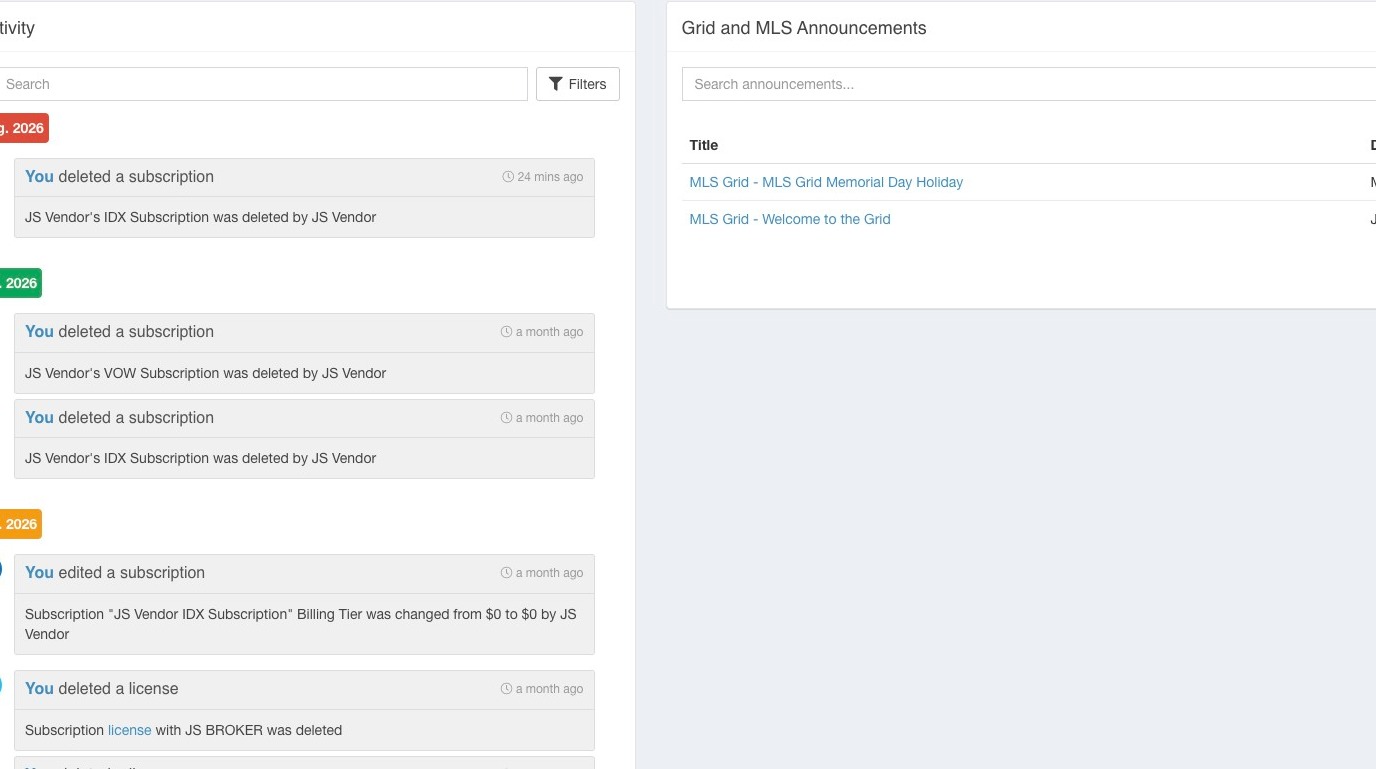
 2\. The Data Consumer will navigate to "Manage Subscriptions".
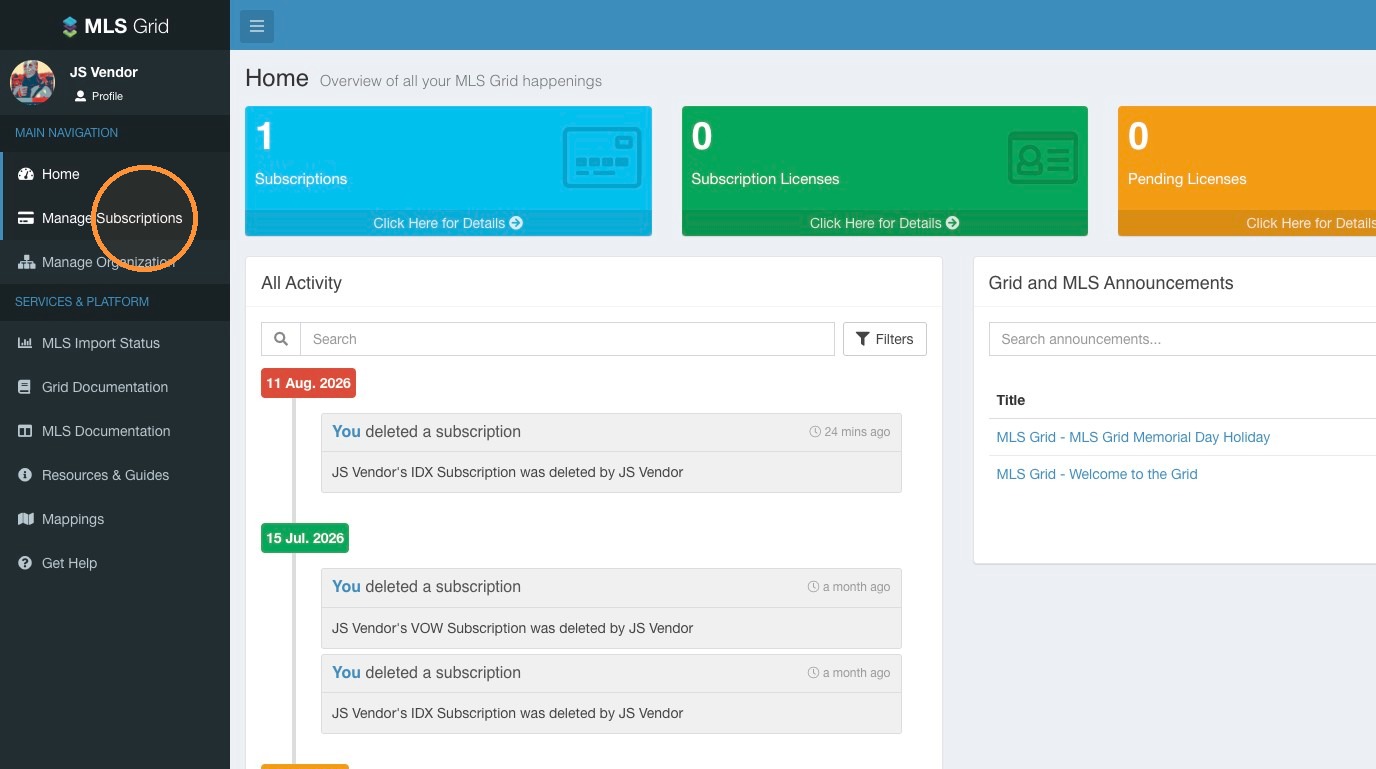 3\. The Data Consumer will create the applicable data subscription from the list of available options.
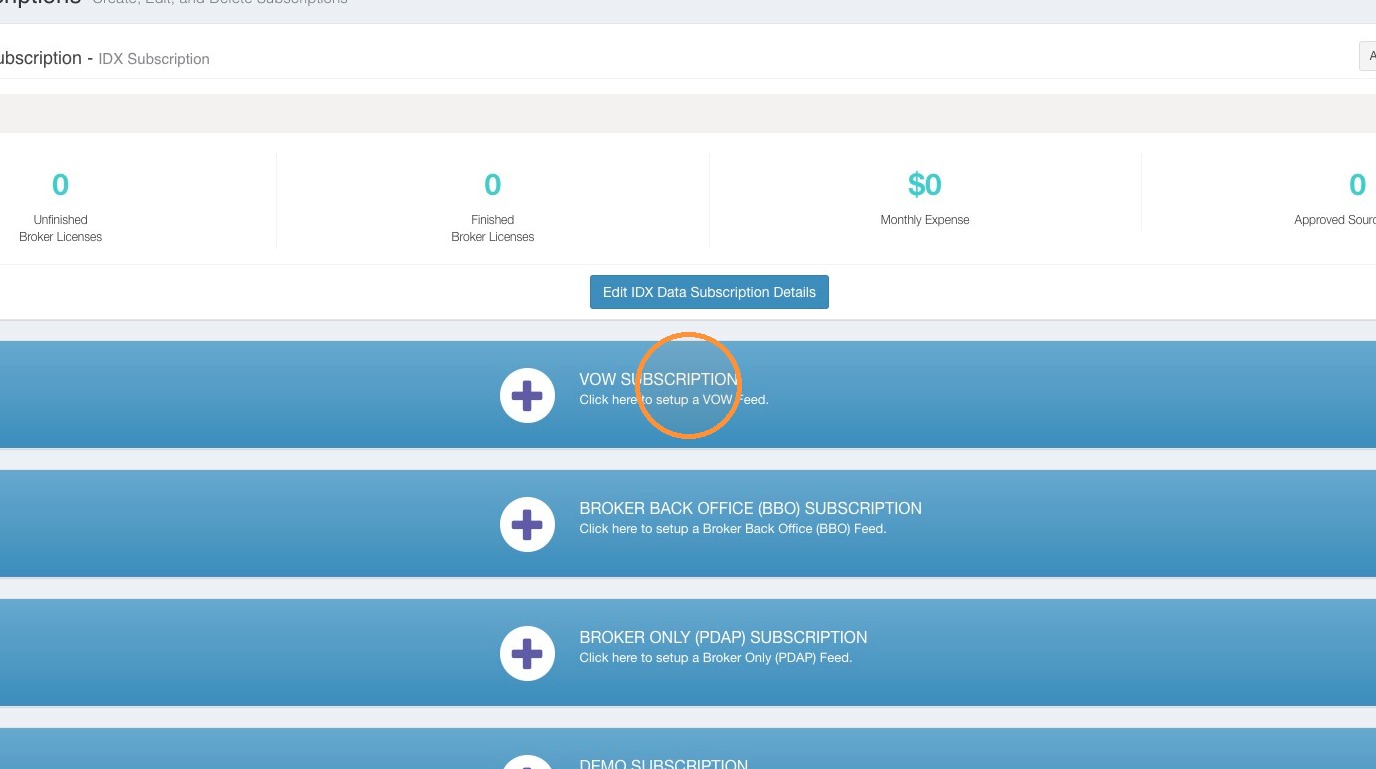 4\. The Data Consumer is prompted to provide the Product Name, Description of the product, and presented with the option to self-disclose the usage of a 3rd Party Contractor.
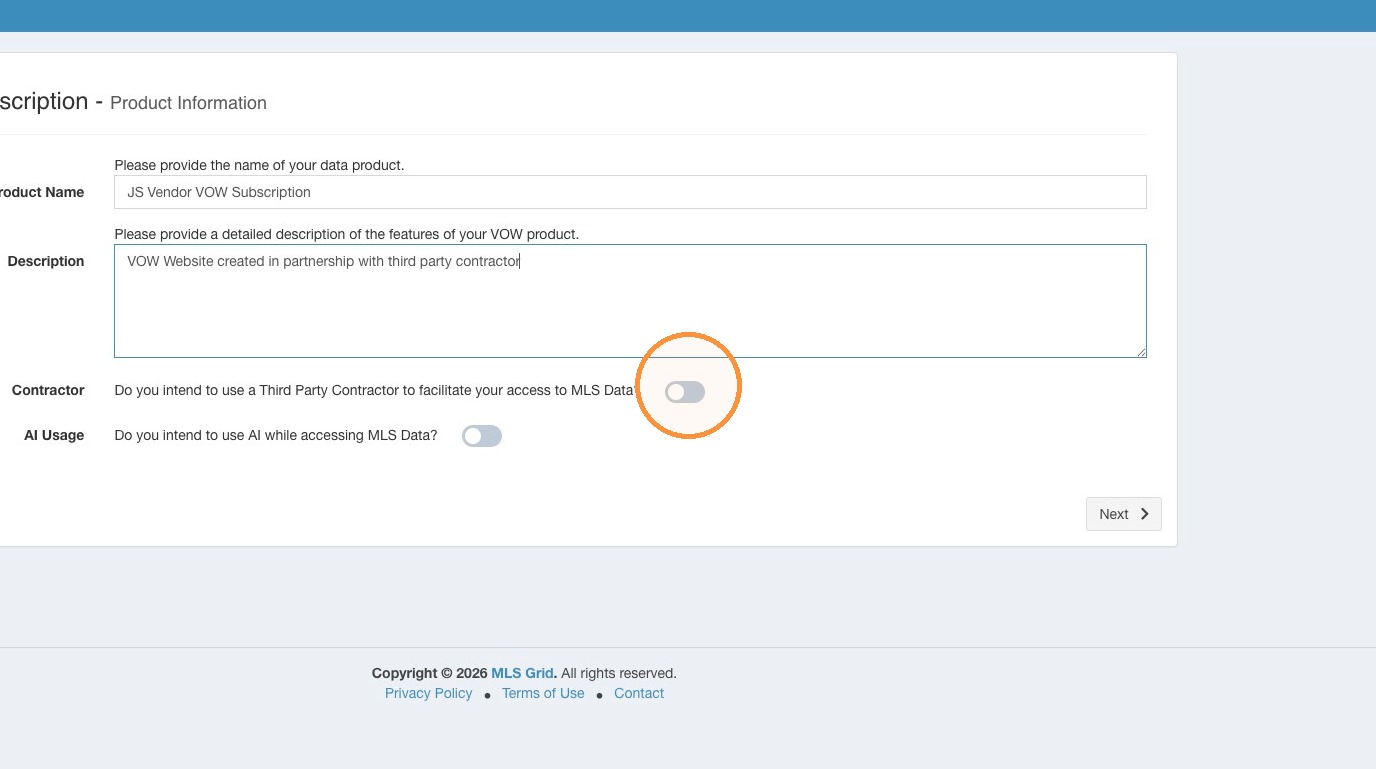
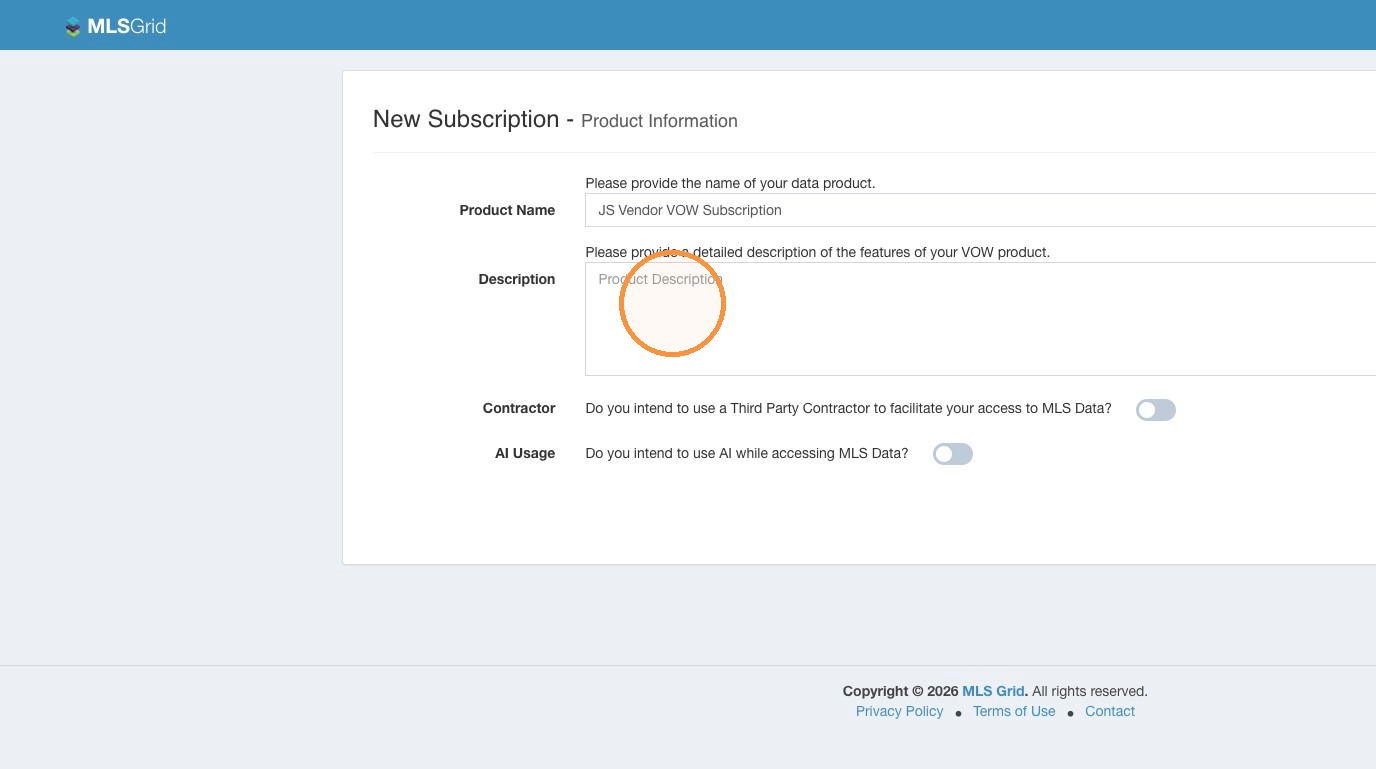 5\. The Data Consumer will enable the Contractor toggle.
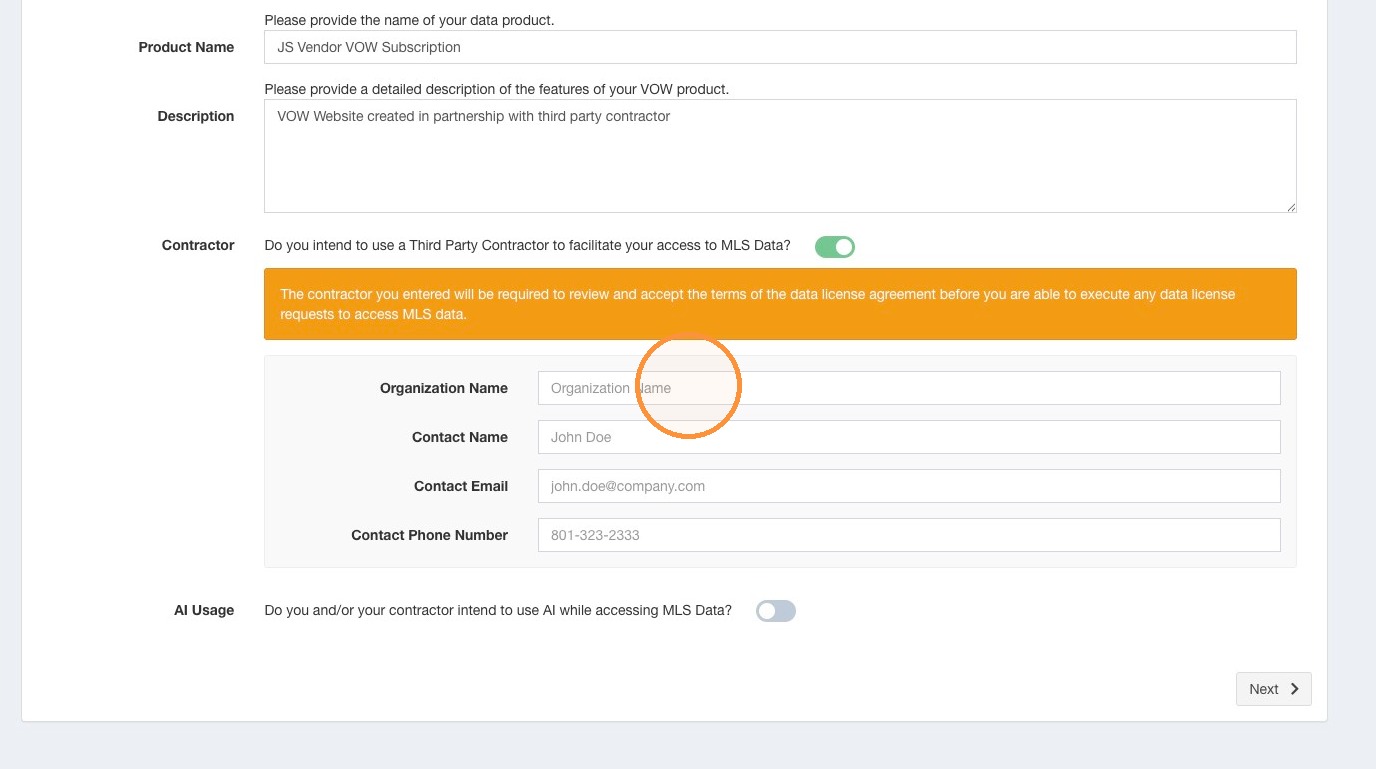
 6\. The Data Consumer is required to provide the requested information in the contractor contact fields. The Data Consumer will click "Next" to continue.
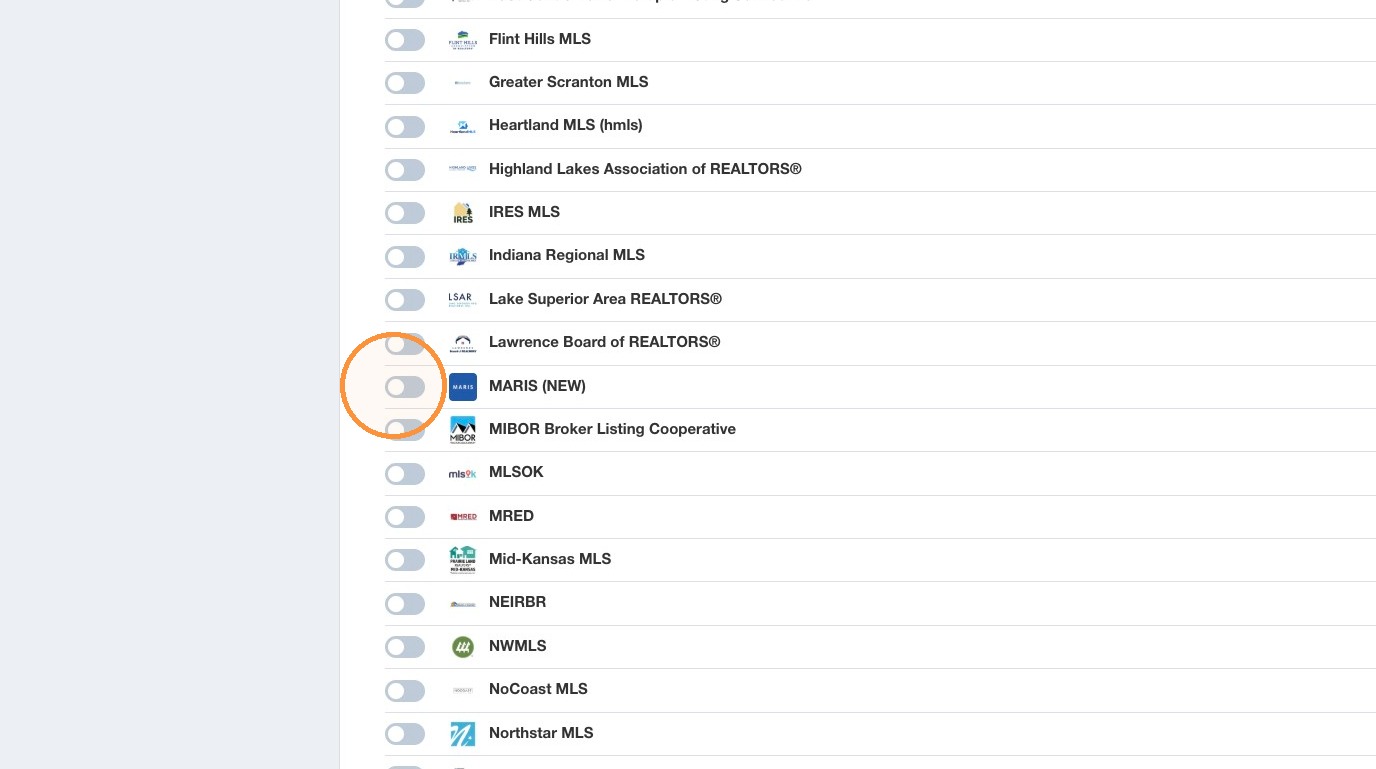
 7\. The Data Consumer will enable the MLS toggle for each MLS they intend to seek access. The Data Consumer will click "Next" to continue.
 #### Data Consumer - License Agreement Acceptance
8\. The Data Consumer is prompted to review the MLS Grid Data License Agreement. To continue the Data Consumer must "Click Here to Sign & Accept".
#### Data Consumer - License Agreement Acceptance
8\. The Data Consumer is prompted to review the MLS Grid Data License Agreement. To continue the Data Consumer must "Click Here to Sign & Accept".
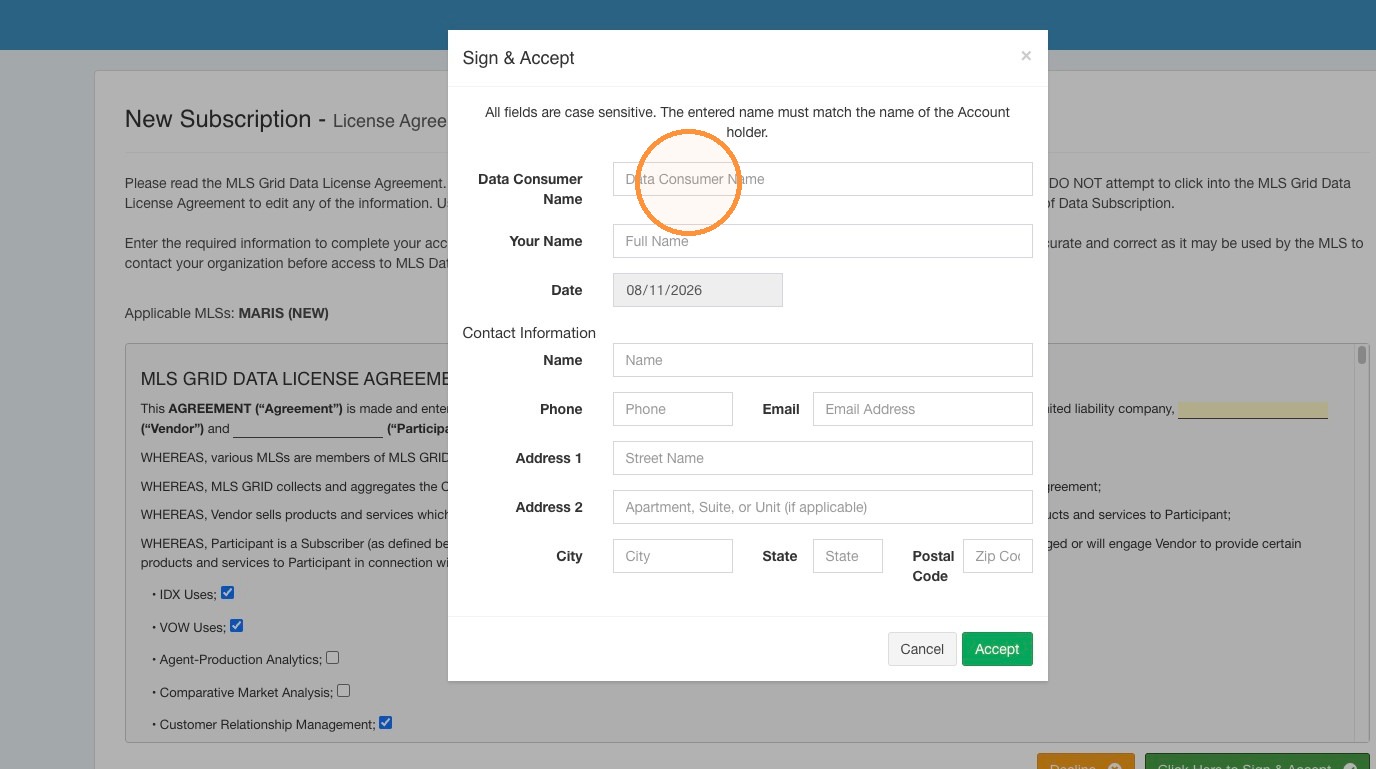
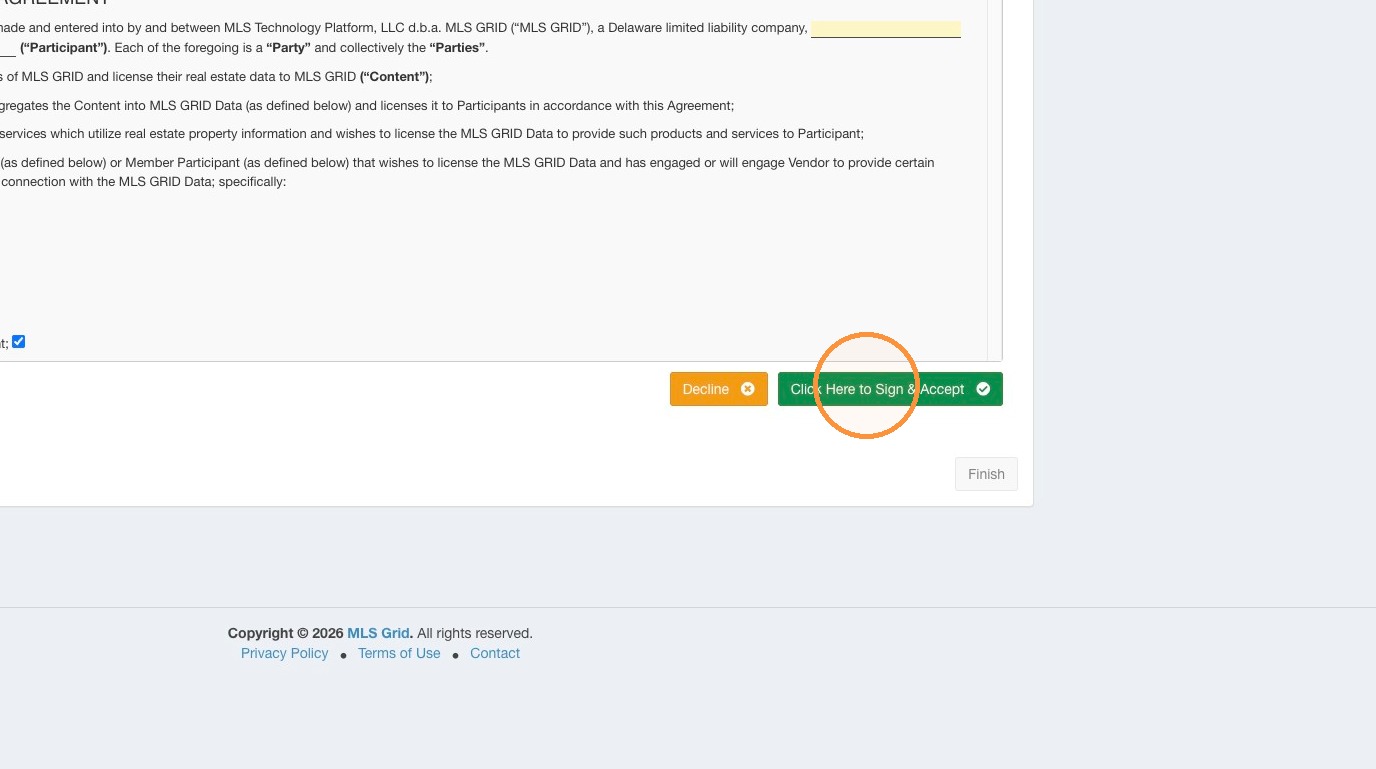 9\. The Data Consumer is required to provide the requested information in the data consumer contact fields. The Data Consumer will click "Accept" to sign the Data License Agreement. The Data Consumer will click "Finish" to continue.\
\
The Data Consumer is prevented from moving forward to create Data License Requests and seek MLS approval to access data until the Contractor has reviewed and acknowledged the MLS Grid Data License Agreement.
9\. The Data Consumer is required to provide the requested information in the data consumer contact fields. The Data Consumer will click "Accept" to sign the Data License Agreement. The Data Consumer will click "Finish" to continue.\
\
The Data Consumer is prevented from moving forward to create Data License Requests and seek MLS approval to access data until the Contractor has reviewed and acknowledged the MLS Grid Data License Agreement.
 #### Data Consumer - Contractor Acceptance
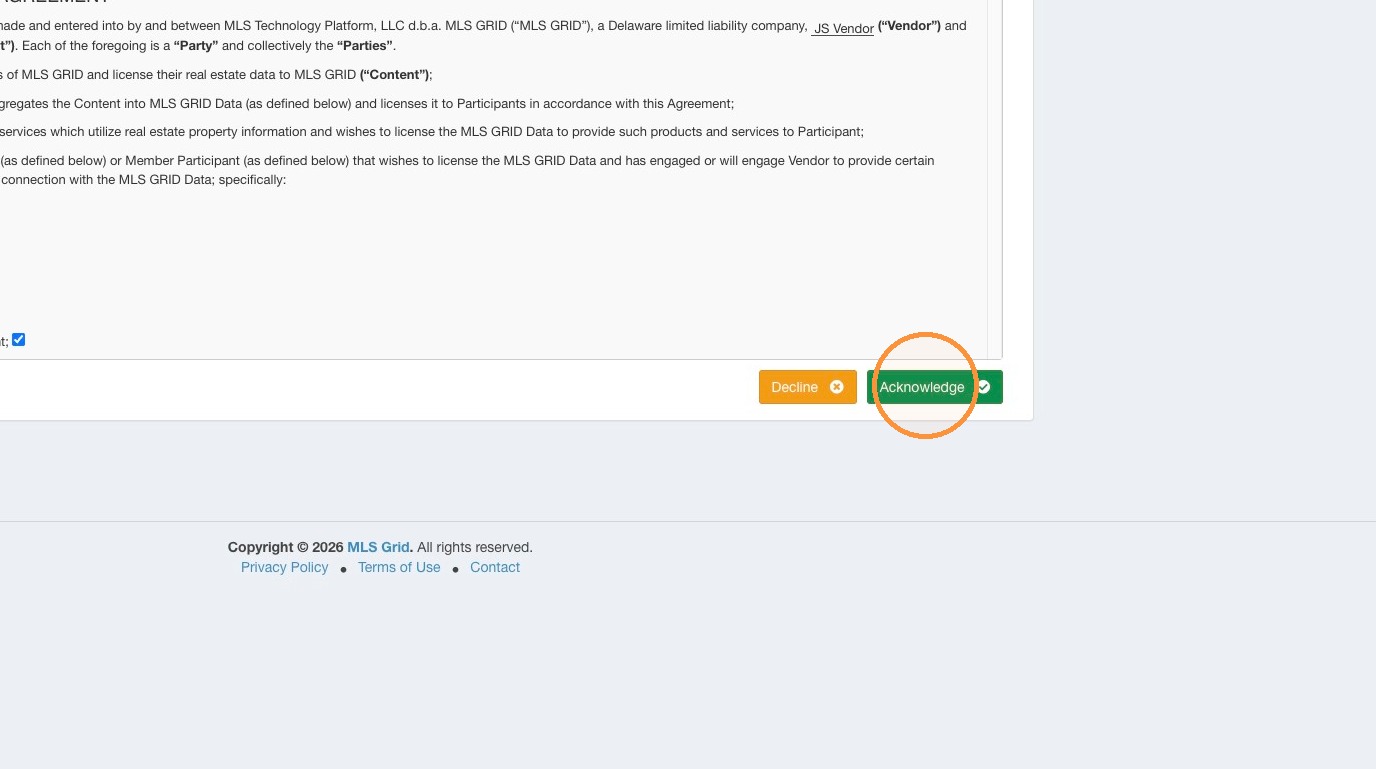
10\. The MLS Grid system will email the Contractor based on information submitted by the Data Consumer. The email contains a link that when clicked will prompt the Contractor to review the MLS Grid Data License Agreement. The Contractor will click "Acknowledge" to continue.
#### Data Consumer - Contractor Acceptance
10\. The MLS Grid system will email the Contractor based on information submitted by the Data Consumer. The email contains a link that when clicked will prompt the Contractor to review the MLS Grid Data License Agreement. The Contractor will click "Acknowledge" to continue.
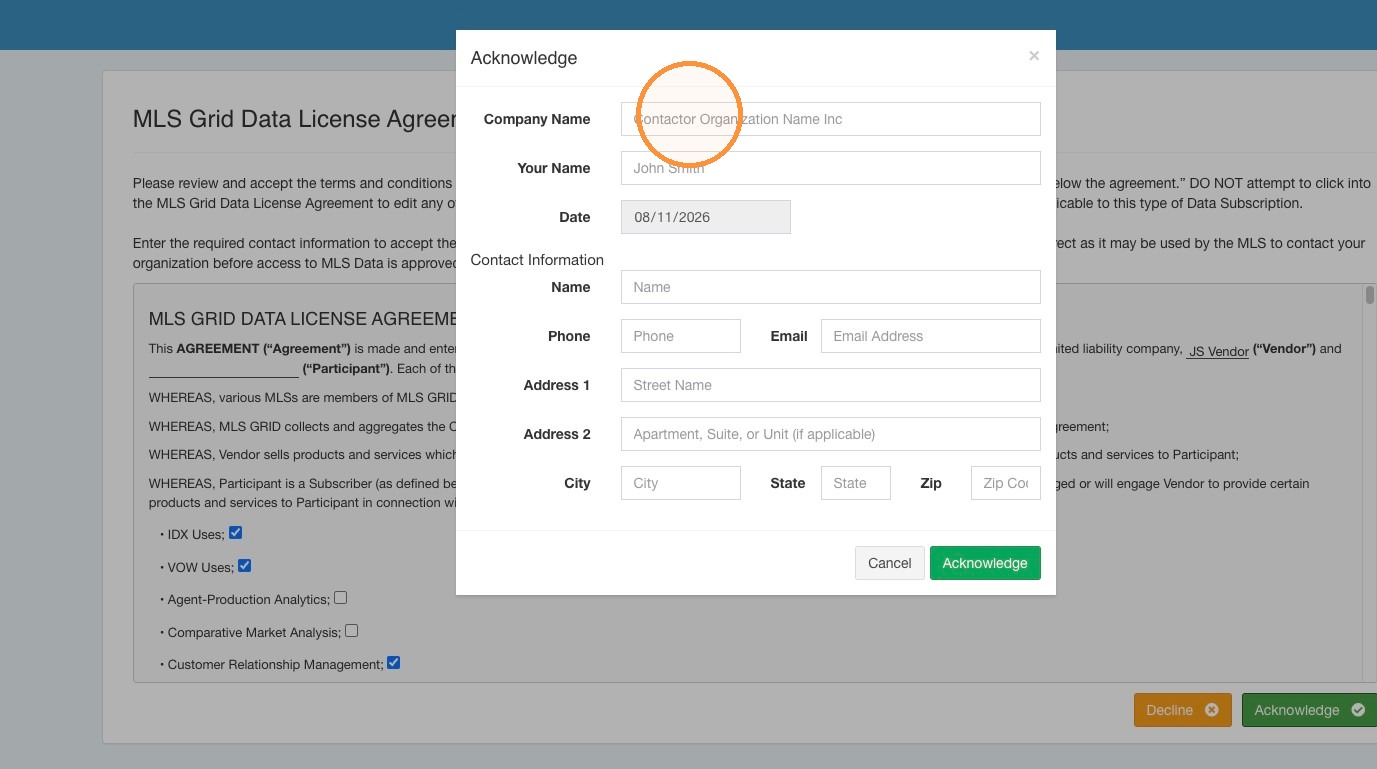
 11\. The Contractor is required to provide the requested information in the contractor contact fields. The Contractor will click "Acknowledge" to sign the Data License Agreement. The Data Consumer will click "Finish" to complete the process.\
\
The Data Consumer is notified by email and from within their MLS Grid account that the Contractor has acknowledged the terms and conditions of the MLS Grid Data License Agreement. The Data Consumer is now permitted to submit Data License Requests to seek Agent/Broker and MLS approval to access data.
11\. The Contractor is required to provide the requested information in the contractor contact fields. The Contractor will click "Acknowledge" to sign the Data License Agreement. The Data Consumer will click "Finish" to complete the process.\
\
The Data Consumer is notified by email and from within their MLS Grid account that the Contractor has acknowledged the terms and conditions of the MLS Grid Data License Agreement. The Data Consumer is now permitted to submit Data License Requests to seek Agent/Broker and MLS approval to access data.
 #### MLS Administrator - Review of Disclosed Contractor
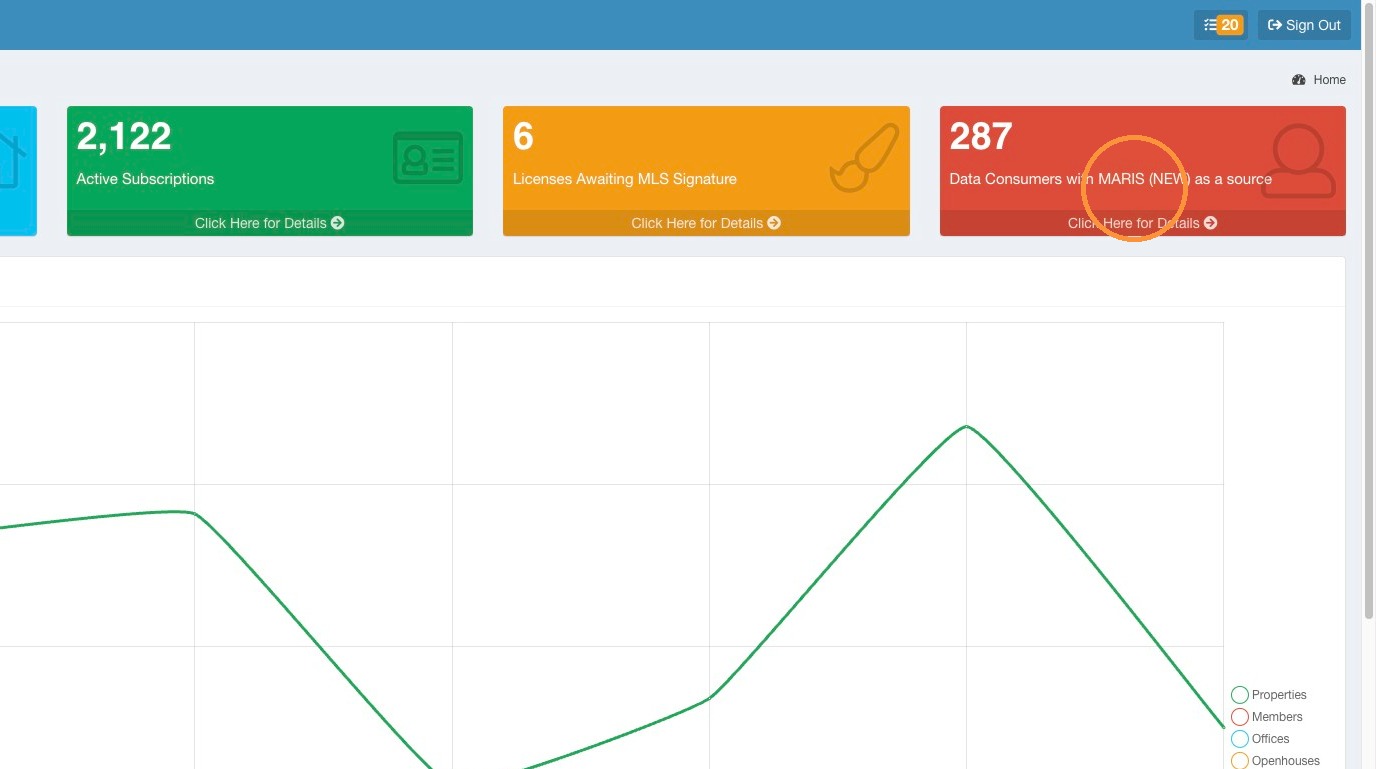
12\. The MLS Admin can review those Data Consumers that have disclosed the use of 3rd Party Contractors from within their MLS Grid account.\
\
MLS Admins will navigate to the Manage Data Consumers section.
#### MLS Administrator - Review of Disclosed Contractor
12\. The MLS Admin can review those Data Consumers that have disclosed the use of 3rd Party Contractors from within their MLS Grid account.\
\
MLS Admins will navigate to the Manage Data Consumers section.
 13\. The MLS Admin can search by specific Data Consumers using the dropdown menu to filter between Access Status and Feed Type. The search bar allows the MLS Admin to narrow the search by category by name of the Data Consumer organization.
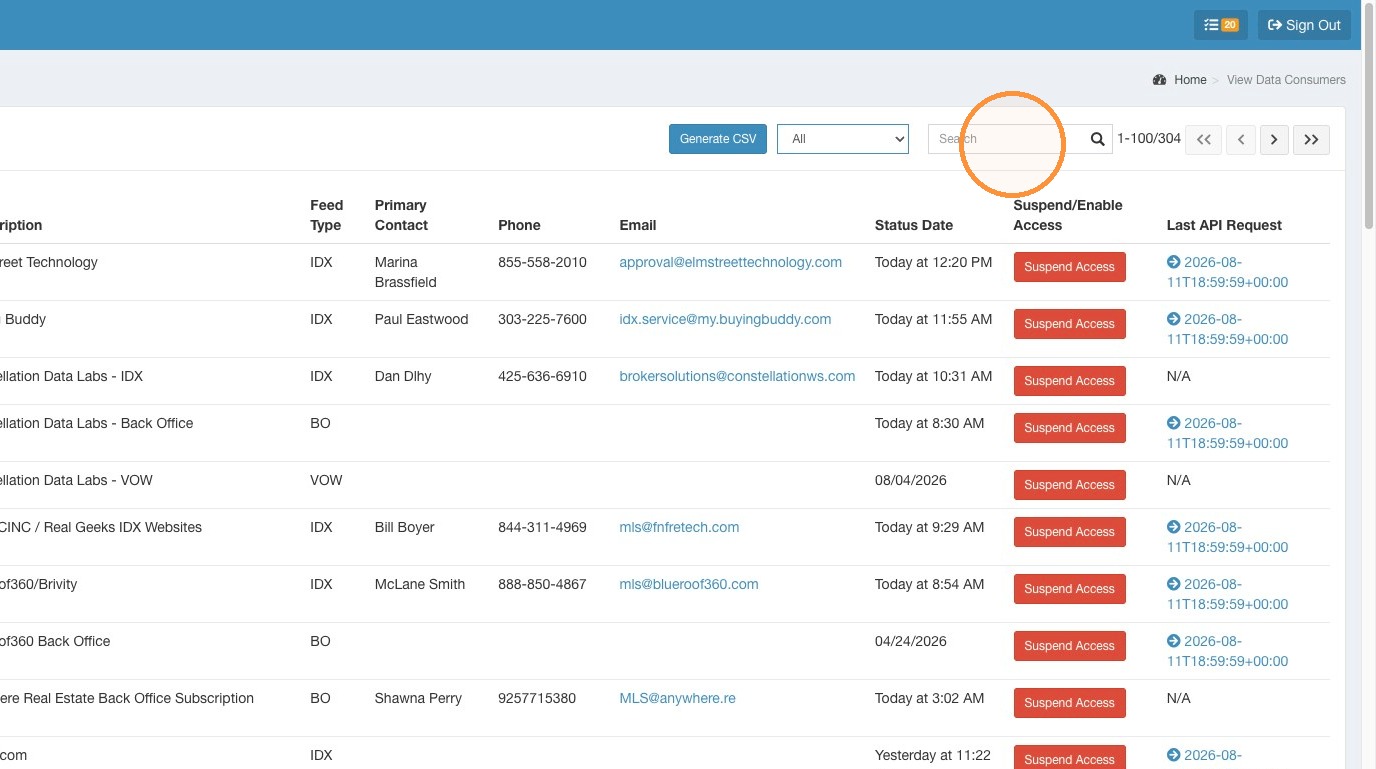 14\. Data Consumers using a 3rd Party Contractor that has acknowledged the MLS Grid Data License Agreement will be noted by "Utilizing Contractor: Contractor Name Provided" under the name of the Data Subscription.\
\
Data Consumers can use different 3rd Party Contractors for different Data Subscriptions, but not more than one Contractor per subscription.
14\. Data Consumers using a 3rd Party Contractor that has acknowledged the MLS Grid Data License Agreement will be noted by "Utilizing Contractor: Contractor Name Provided" under the name of the Data Subscription.\
\
Data Consumers can use different 3rd Party Contractors for different Data Subscriptions, but not more than one Contractor per subscription.
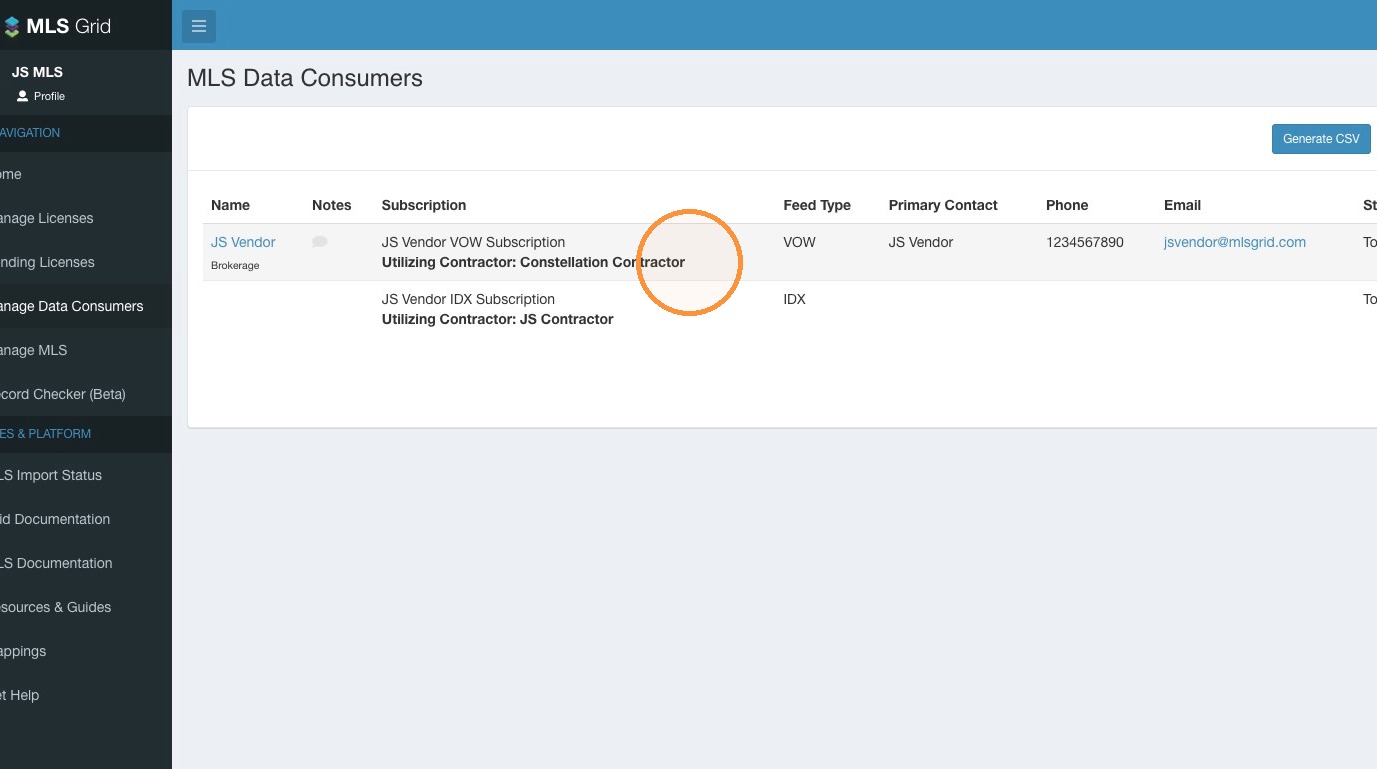 #### How a Data Consumer discloses use of a 3rd Party Contractor on existing Data Subscription
Tip: The following outlines the steps a Data Consumer takes when disclosing the use of a 3rd Party Contractor on an existing Data Subscription.
15\. The Data Consumer will log in at [https://app.mlsgrid.com/](https://app.mlsgrid.com/admin)
#### How a Data Consumer discloses use of a 3rd Party Contractor on existing Data Subscription
Tip: The following outlines the steps a Data Consumer takes when disclosing the use of a 3rd Party Contractor on an existing Data Subscription.
15\. The Data Consumer will log in at [https://app.mlsgrid.com/](https://app.mlsgrid.com/admin)
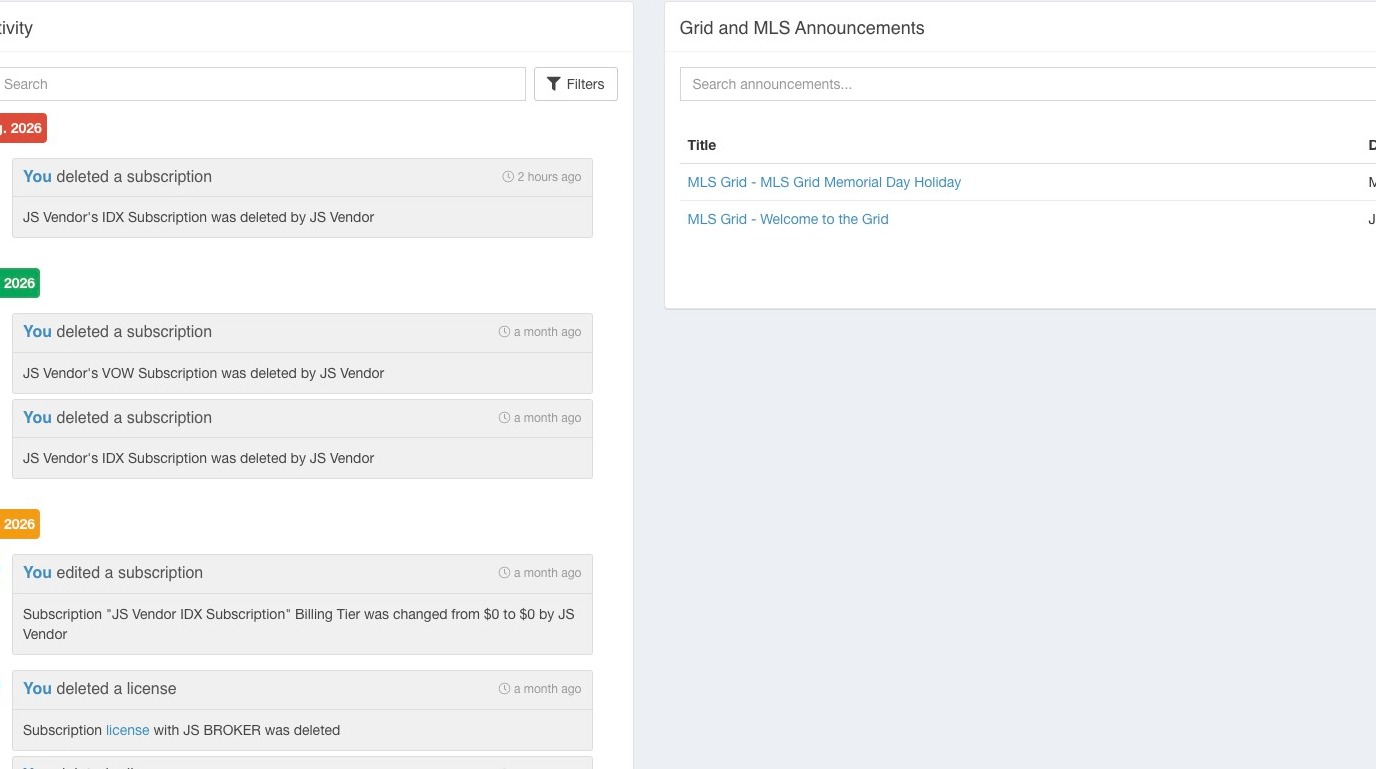 16\. The Data Consumer will navigate to "Manage Subscriptions".
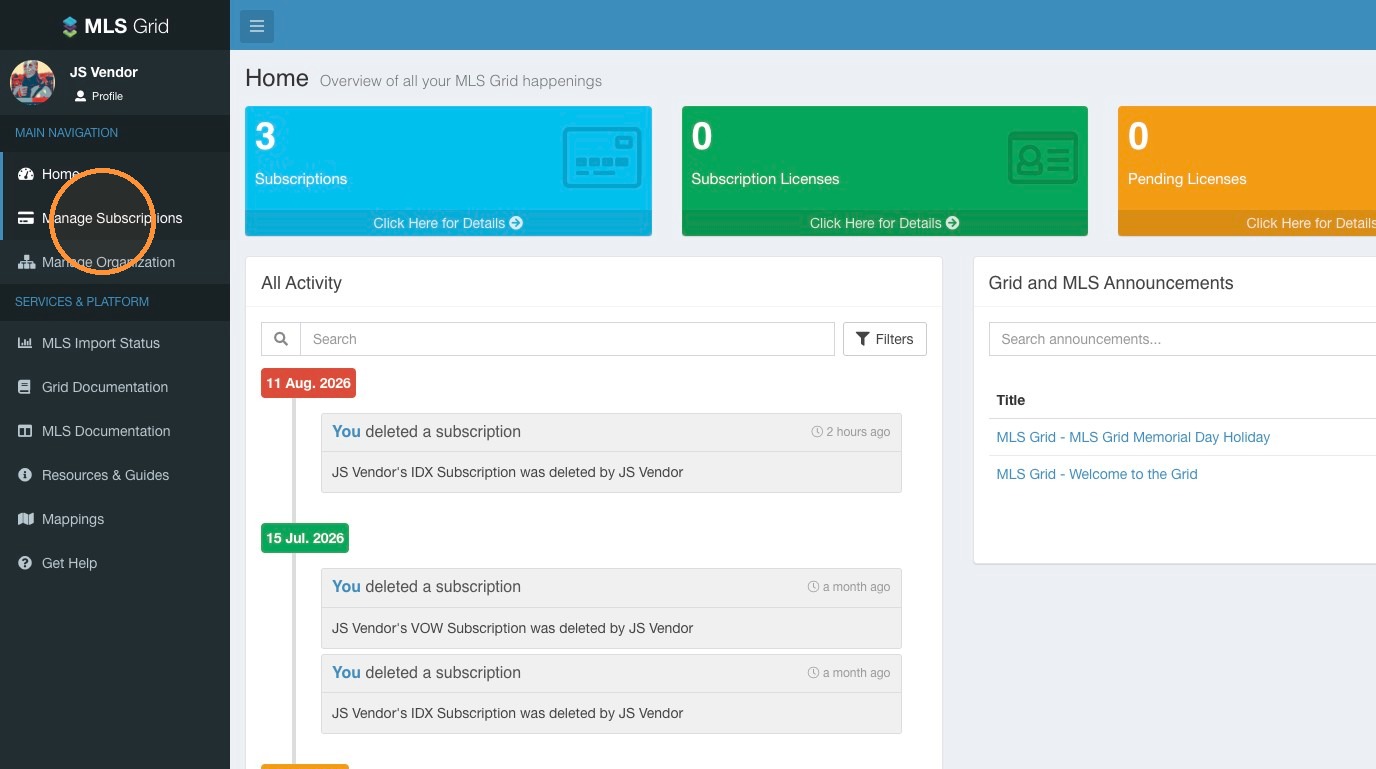 17\. The Data Consumer will click "Edit Data Subscription Details" for the applicable data subscription.
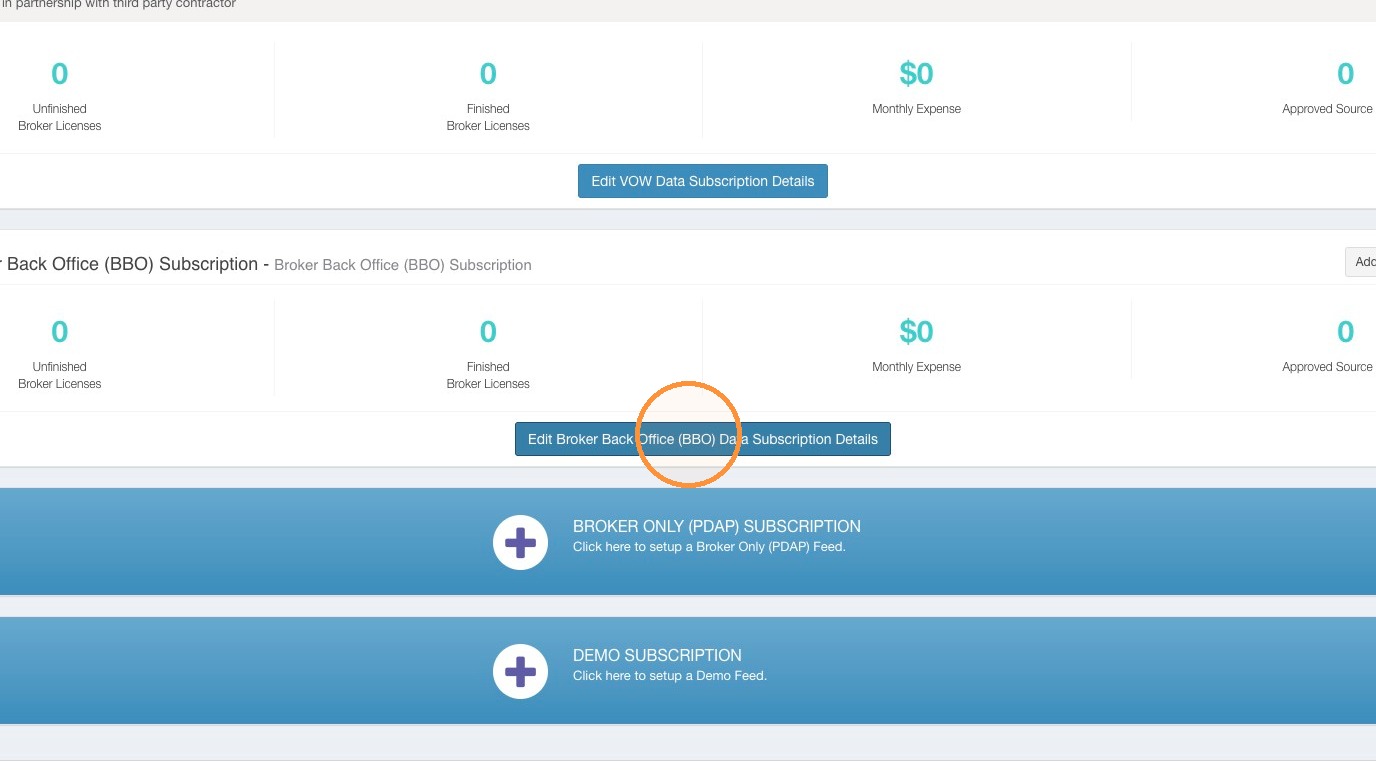 18\. The Data Consumer will click "Disclose Contractor" button under the data subscription summary.
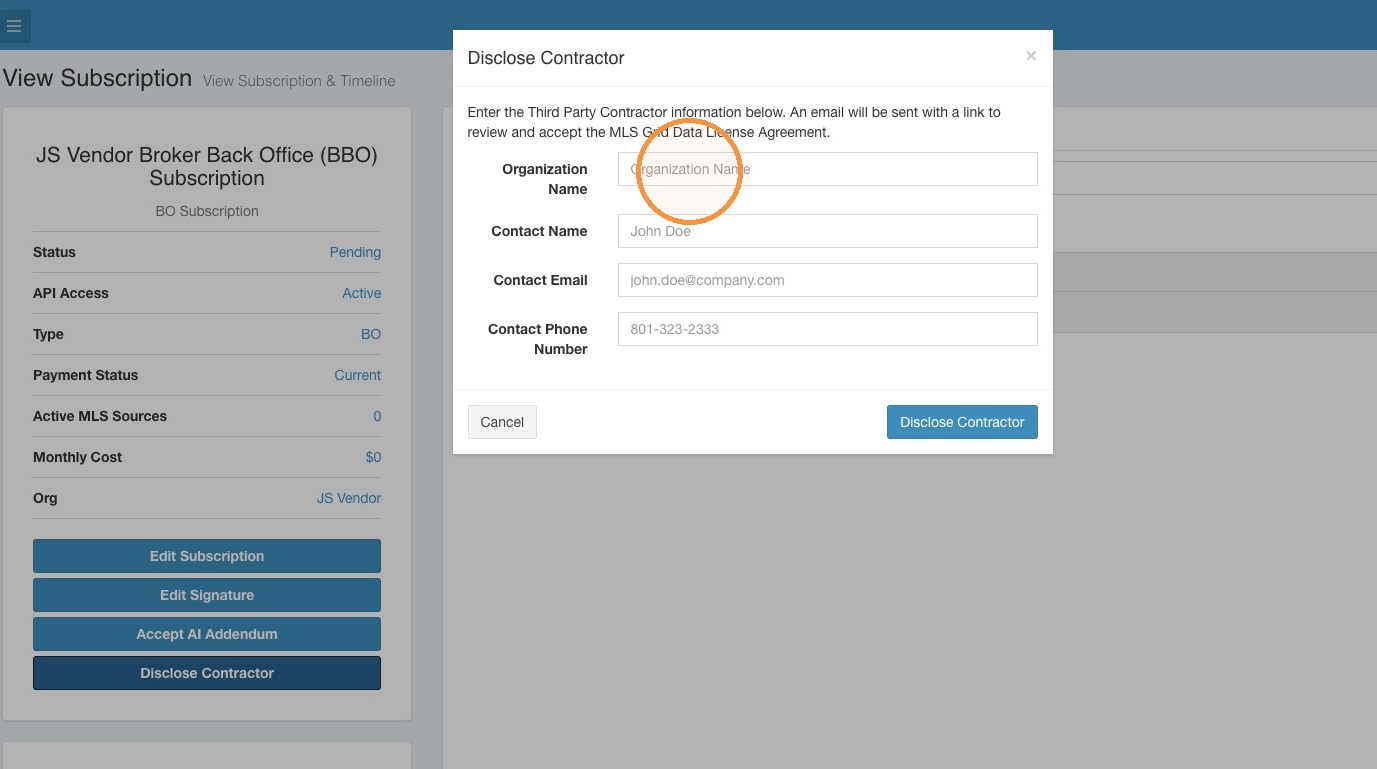
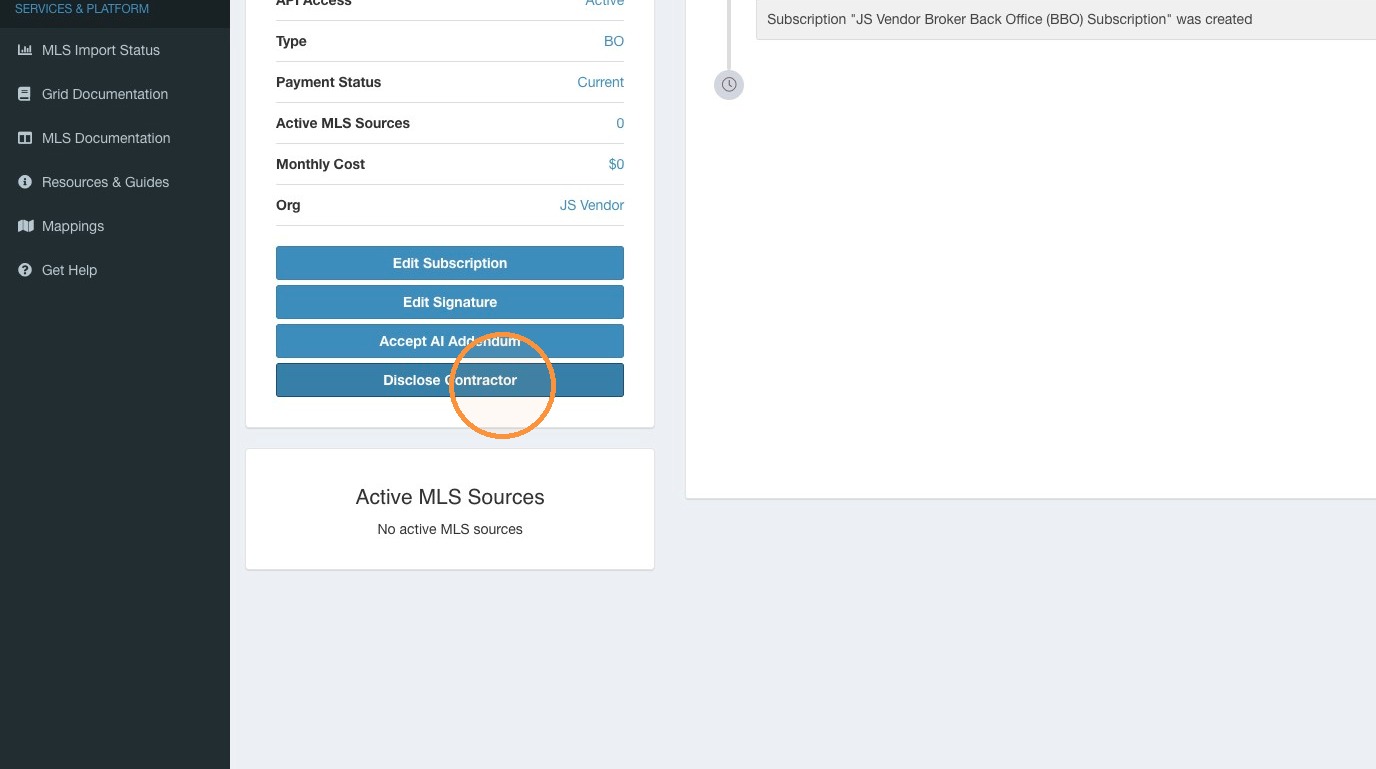 19\. The Data Consumer is required to provide the requested information in the contractor contact fields. The Data Consumer will click "Disclose Contractor" button to continue.\
\
The MLS Grid system will send an email to the individual at the email address provided. The Contractor will have 30 days from issuance to use the link provided in the email to acknowledge the Data License Agreement. Reminder emails are sent every 10 days. After 30 days without acknowledgment, the Data Consumer is prevented from creating any Data License Requests and receiving MLS approval to access data until the Contractor has reviewed and acknowledged the MLS Grid Data License Agreement.
19\. The Data Consumer is required to provide the requested information in the contractor contact fields. The Data Consumer will click "Disclose Contractor" button to continue.\
\
The MLS Grid system will send an email to the individual at the email address provided. The Contractor will have 30 days from issuance to use the link provided in the email to acknowledge the Data License Agreement. Reminder emails are sent every 10 days. After 30 days without acknowledgment, the Data Consumer is prevented from creating any Data License Requests and receiving MLS approval to access data until the Contractor has reviewed and acknowledged the MLS Grid Data License Agreement.
 #### How an MLS Admin can require a 3rd Party Contractor to acknowledge Data License Agreement
Tip: The following outlines the steps an MLS Admin takes when discovering a Data Consumer's use of a 3rd Party Contractor, and requires the 3rd Party Contractor acknowledge the MLS Grid Data License Agreement.
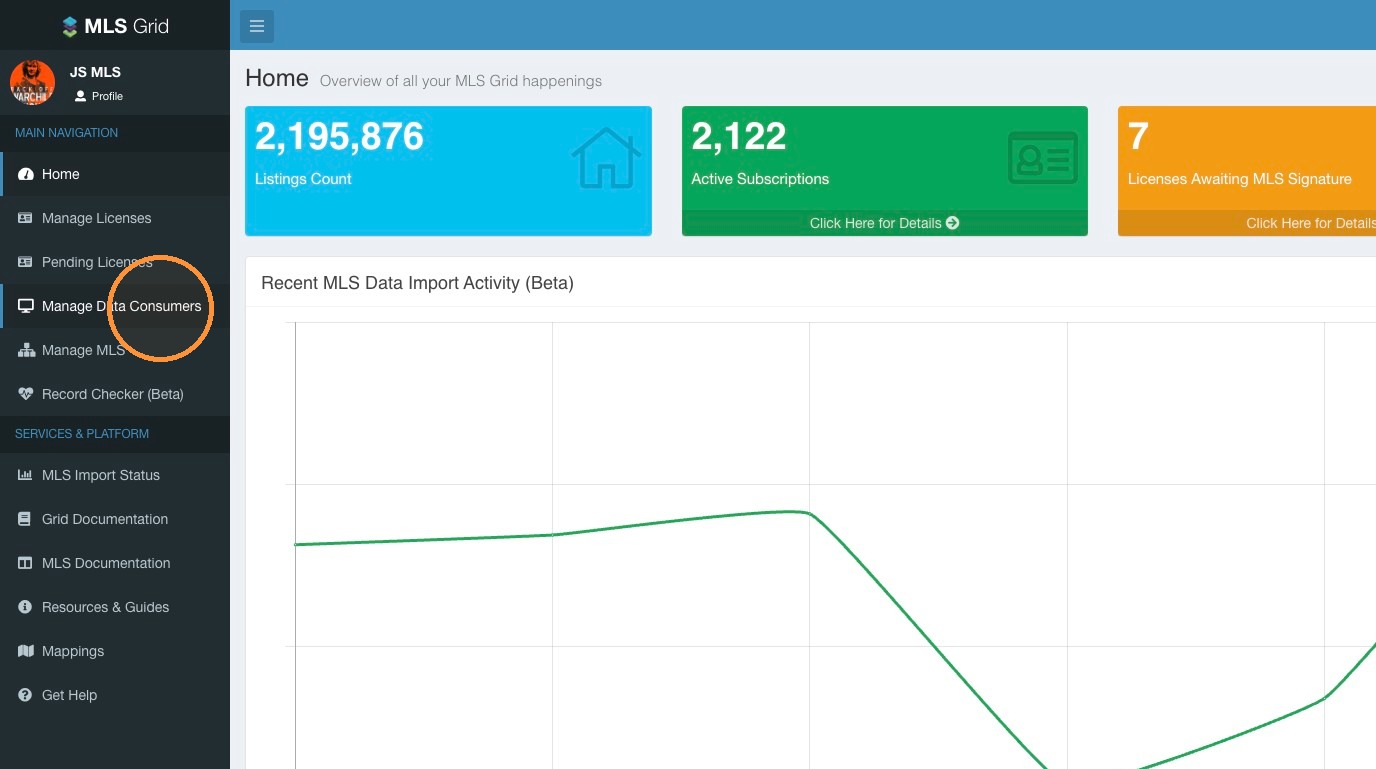
20\. The MLS Admin will log in to their MLS Grid account. Click "Manage Data Consumers"
#### How an MLS Admin can require a 3rd Party Contractor to acknowledge Data License Agreement
Tip: The following outlines the steps an MLS Admin takes when discovering a Data Consumer's use of a 3rd Party Contractor, and requires the 3rd Party Contractor acknowledge the MLS Grid Data License Agreement.
20\. The MLS Admin will log in to their MLS Grid account. Click "Manage Data Consumers"
 21\. The MLS Admin can search by specific Data Consumers using the dropdown menu to filter between Access Status and Feed Type. The search bar allows the MLS Admin to narrow the search by category by name of the Data Consumer organization.\
\
The MLS Admin will click on the name of the Data Consumer organization utilizing a 3rd Party Contractor.
21\. The MLS Admin can search by specific Data Consumers using the dropdown menu to filter between Access Status and Feed Type. The search bar allows the MLS Admin to narrow the search by category by name of the Data Consumer organization.\
\
The MLS Admin will click on the name of the Data Consumer organization utilizing a 3rd Party Contractor.
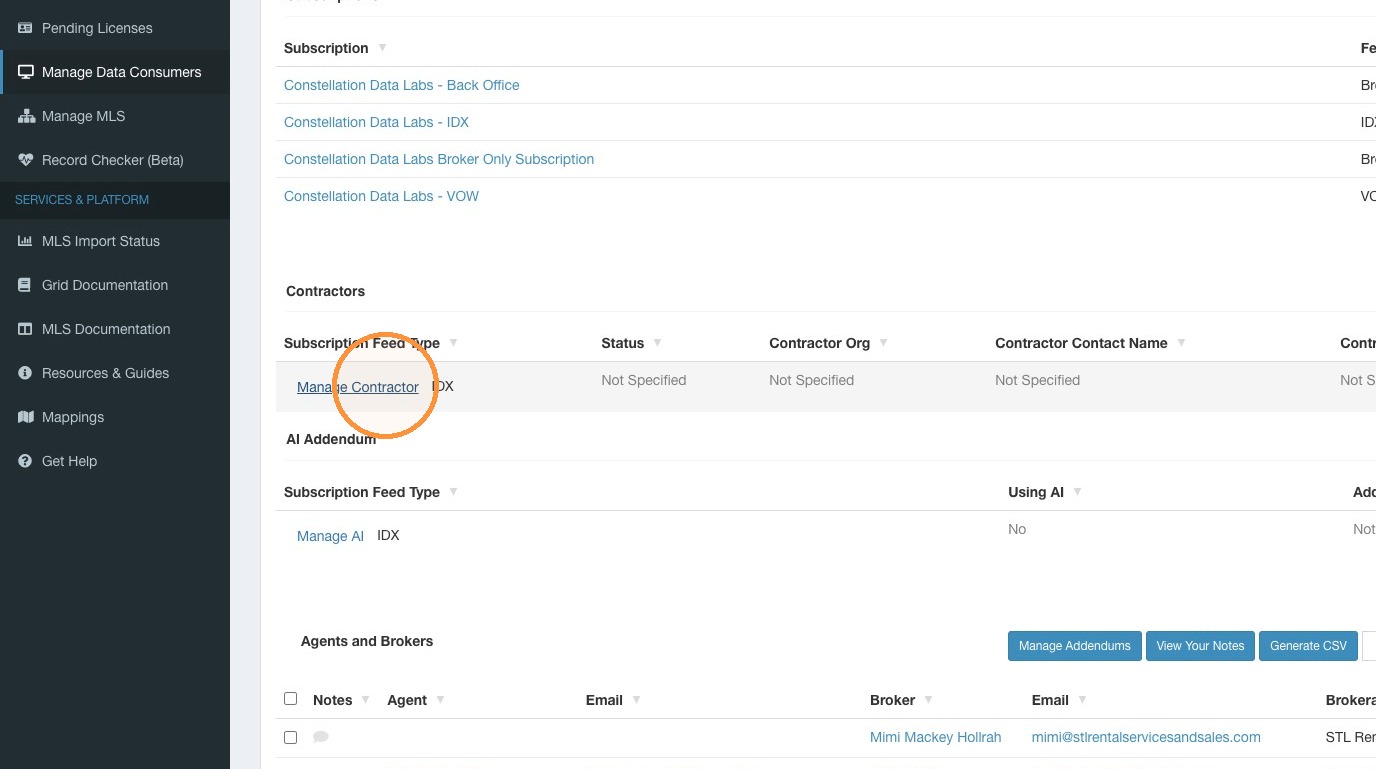
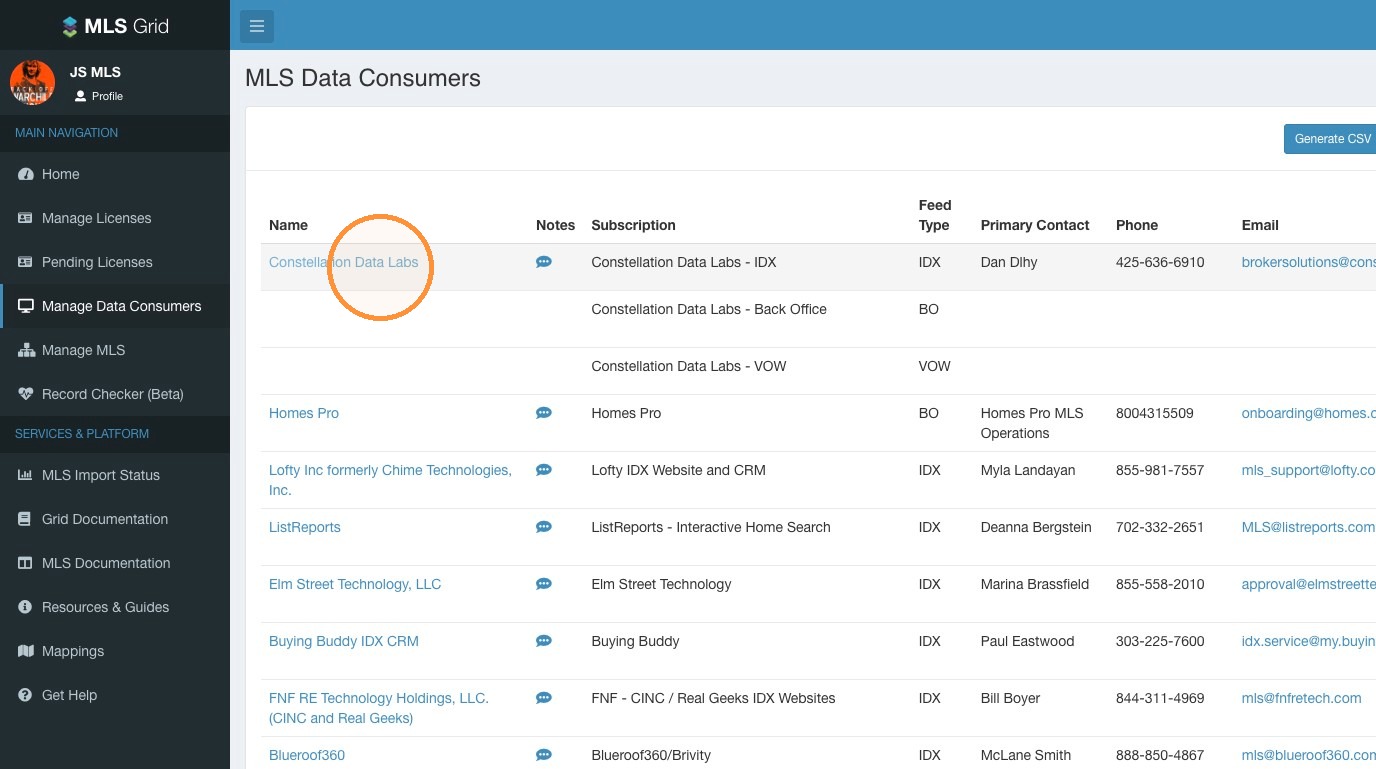 22\. For the applicable Data Subscription the MLS Admin will click on the "Manage Contractor" link.
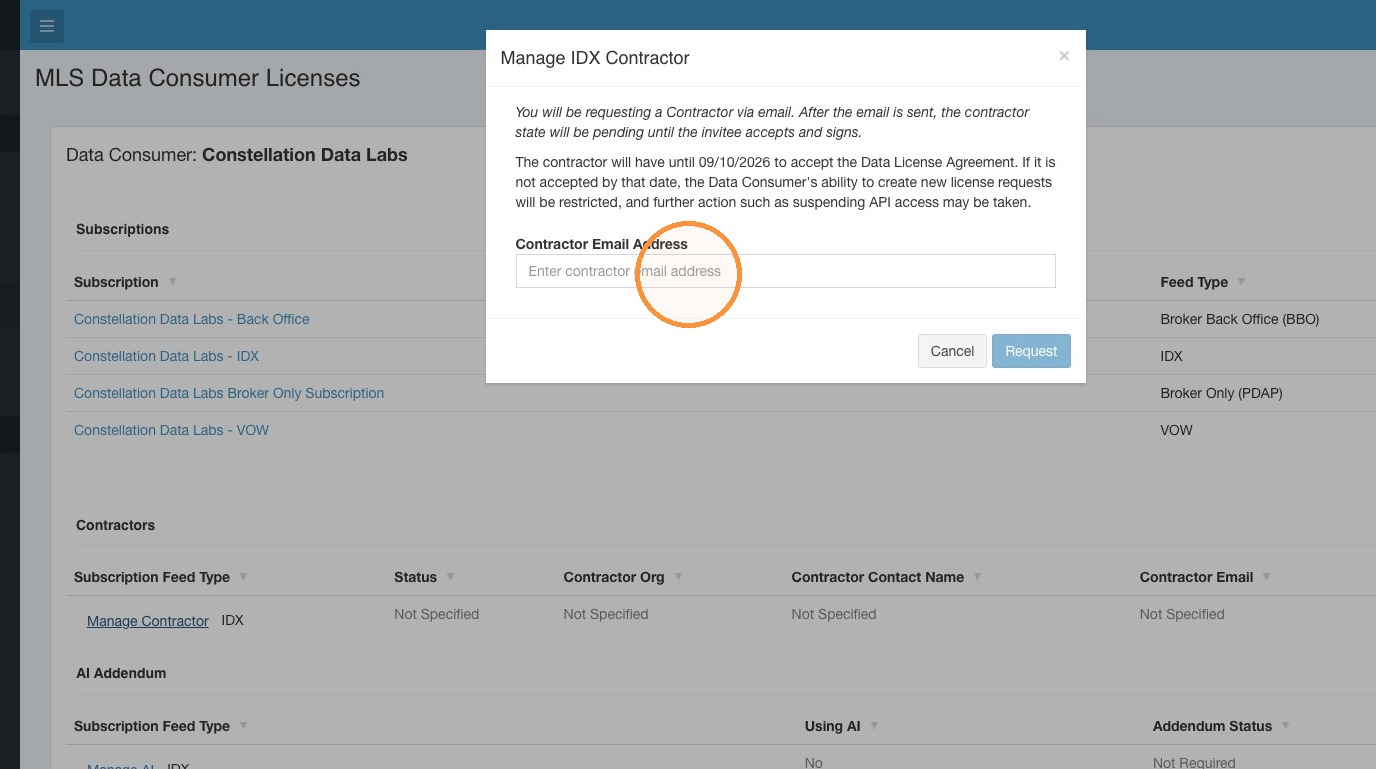
 23\. A pop-up box will appear. The MLS Admin will be prompted to enter the email address of the authorized individual from the 3rd Party Contractor.\
\
The MLS Grid system will send an email to the individual at the email address provided. The Contractor will have 30 days from issuance to use the link provided in the email to acknowledge the Data License Agreement. Reminder emails are sent every 10 days. After 30 days without acknowledgment, the MLS is notified of the Contractor's failure to acknowledge the agreement and can choose how they wish to proceed.
23\. A pop-up box will appear. The MLS Admin will be prompted to enter the email address of the authorized individual from the 3rd Party Contractor.\
\
The MLS Grid system will send an email to the individual at the email address provided. The Contractor will have 30 days from issuance to use the link provided in the email to acknowledge the Data License Agreement. Reminder emails are sent every 10 days. After 30 days without acknowledgment, the MLS is notified of the Contractor's failure to acknowledge the agreement and can choose how they wish to proceed.
\